What does "essential" vs "important" vs "useful" mean?
Priority tiers reflect the pipeline's judgment about what a specific reader needs from this page. Essential means comprehension breaks without it. Useful does not mean optional.
At a glance
Quick reference for how each priority tier is defined and when to address it.
| Tier | Meaning | Fix order |
|---|---|---|
| Essential | Load-bearing for the stated reader. Comprehension breaks without it. | Fix first: address "What to add" and "What to clarify" items for essential concepts before others. |
| Important | Significantly strengthens the analysis but does not break comprehension if absent. | Fix second: usually requires expanding existing content ("What to clarify"). |
| Useful | Adds context and depth. Can become essential for a different audience. | Fix last: address after essential and important items are closed. |
Essential
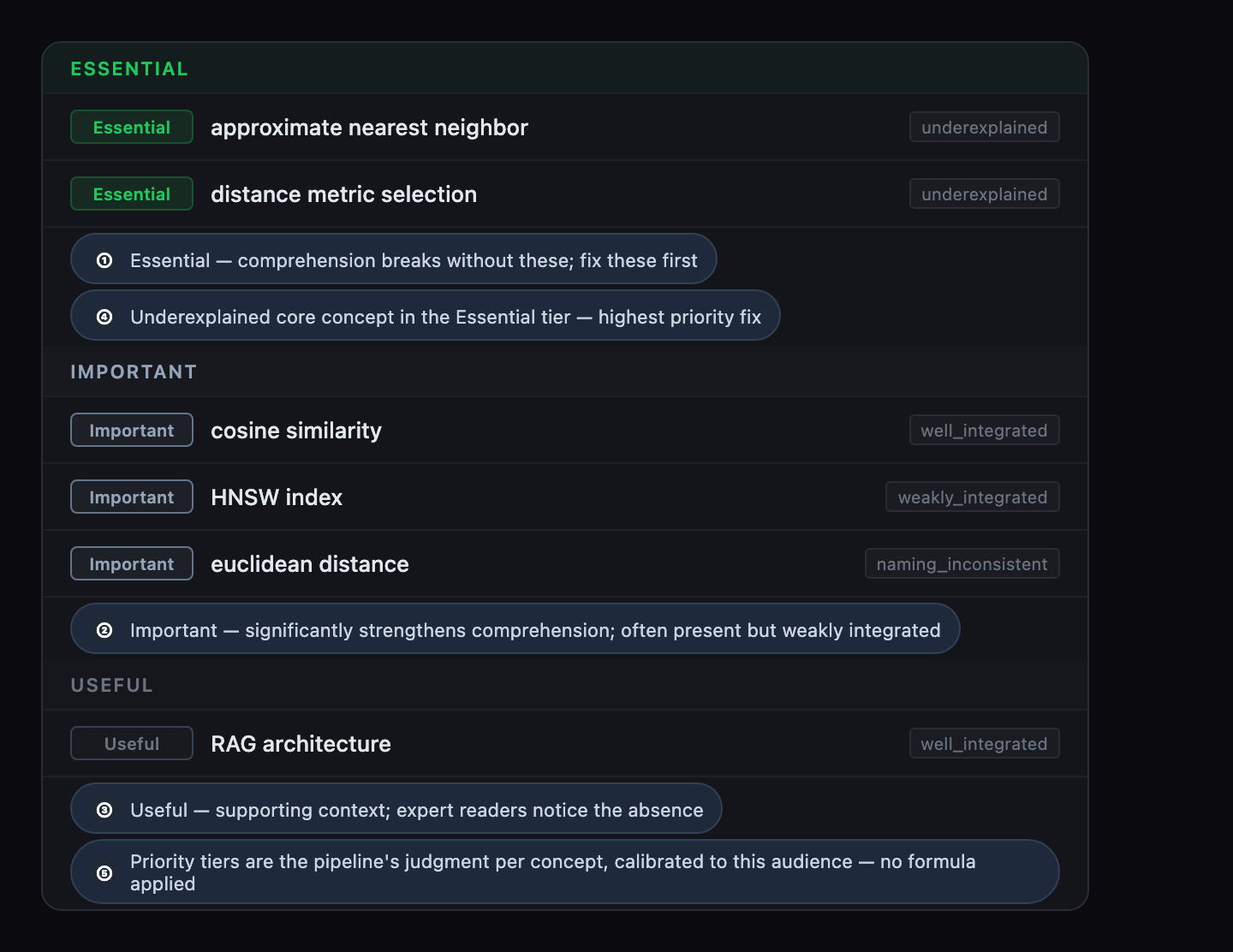
Essential concepts are those the pipeline judges as load-bearing for the stated reader. If an essential concept is missing or underexplained, the core argument does not hold for that audience. Missing essential concepts are the first thing to fix. Start with the "What to add" and "What to clarify" items for essential concepts before moving to the rest of the writing brief.
Phase 2, which produces the priority assignments and writing brief, requires an analysis credit.
Important
Important concepts significantly strengthen the analysis for the reader but do not break comprehension if absent. A concept that is present on the page but weakly integrated often lands here: it exists, but its explanation is not yet doing the work required. "What to clarify" items for important concepts typically require expanding what is already there.
Useful
Useful concepts add supporting context, examples, or depth. A first-time reader can follow the core argument without them. A sophisticated or returning reader may notice their absence.
Useful does not mean optional. A concept that lands at useful on the current priority distribution can become essential if the knowledge level changes. The tier reflects a judgment about what this reader needs right now, not an absolute classification of the concept.
How priorities are assigned
Priority assignments are the pipeline's judgment, calibrated to the knowledge level you set, evaluated per concept given the full explanation framework. There is no formula or scoring threshold. The pipeline evaluates each concept's role in a coherent explanation for the stated reader.
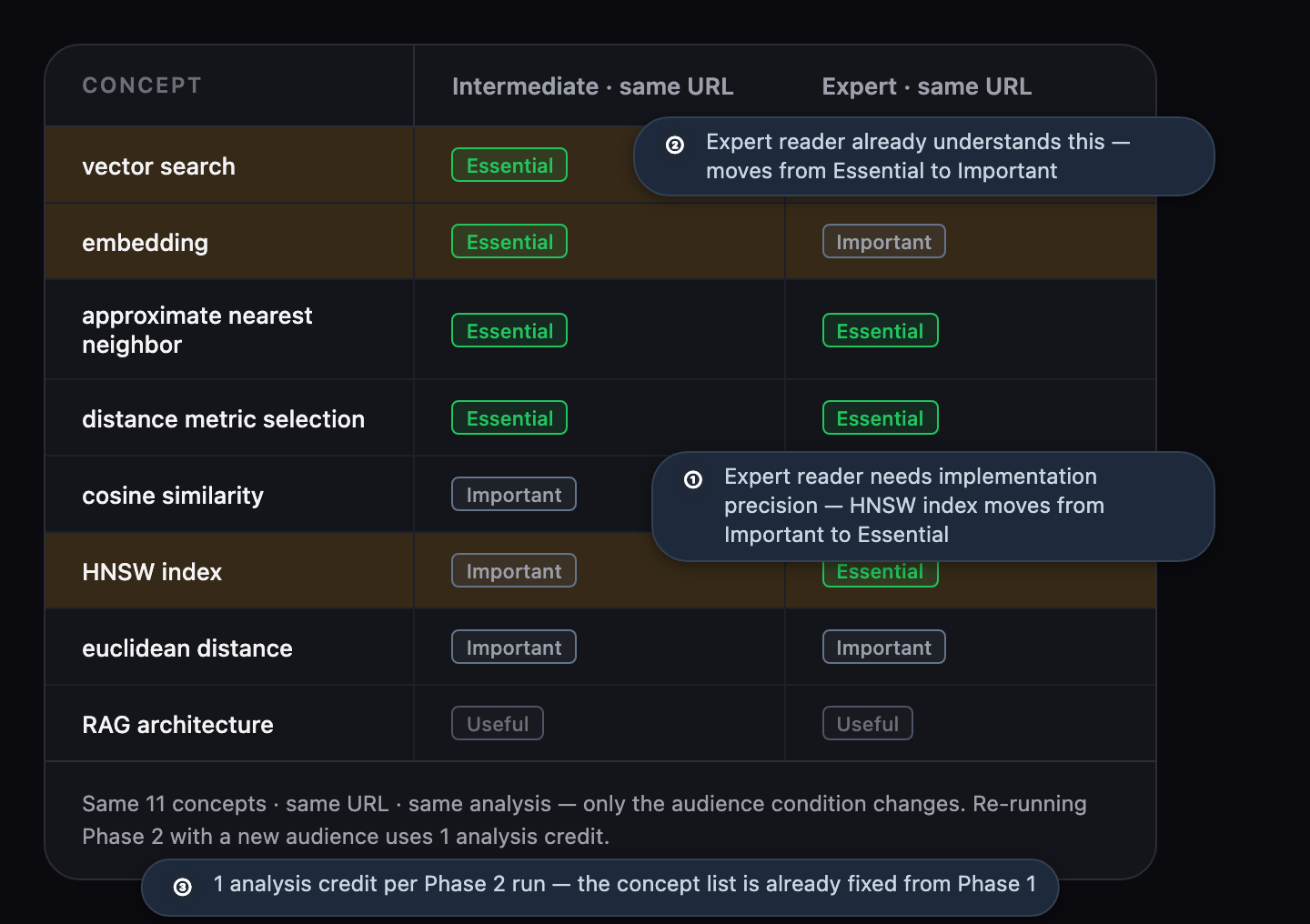
The same concept can land at different priority tiers for different readers of the same page.
Priorities change with the knowledge level
Changing the knowledge level changes the priority distribution. The concept list stays the same; the priority tiers reflect the reader at that level. If you want to understand what readers at different levels need from the same page, re-run Phase 2 at a different level and compare the priority distributions. Re-running Phase 2 uses one analysis credit.
See the guide on why priorities differ by audience for a concrete example of the same concept moving between tiers.
Related topics