Delta View
How snapshots work and how to read the before/after comparison after re-analysis.
What a snapshot is
Every time you run a full analysis on a URL, ContentGrapher saves a snapshot of the result: the concept structure, coverage score, writing brief, and boundary classifications at that point in time.
Snapshots are created when Phase 2 completes. Phase 1 — the concept graph and boundary classifications — is free. Phase 2, which produces the writing brief and enables snapshot saving, requires an analysis credit.
If you are not signed in, the before/after comparison is available within the current browser session only. Named snapshots and the full history view require a signed-in account.
How to read ↑, ↓, and →
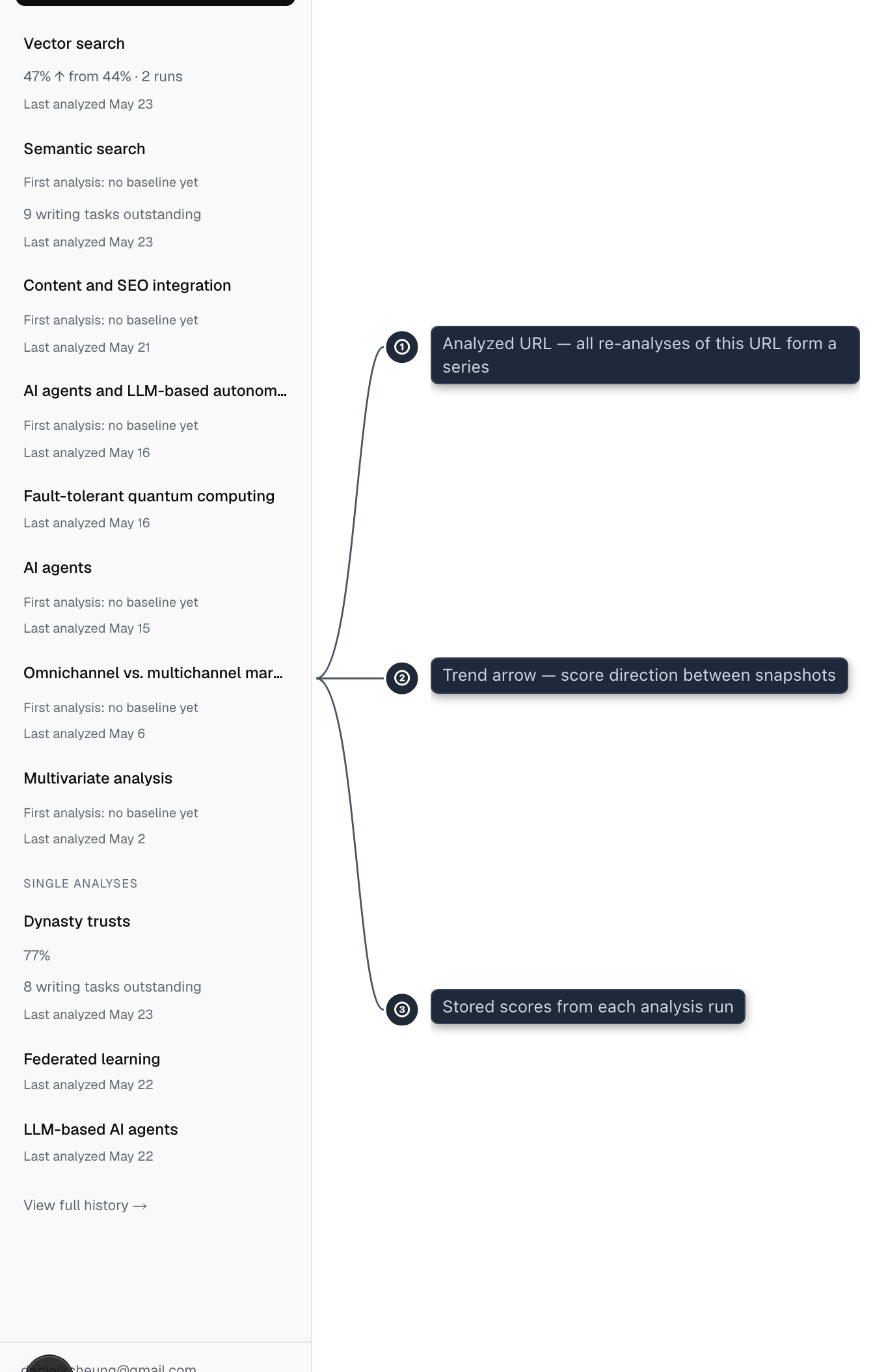
↑ means the stored coverage score increased between this analysis and the prior one. ↓ means it decreased. → means the displayed score is unchanged. A score change alone does not establish that an edit helped readers.
The coverage score is a composite measure: part integration quality (how many of your observed concepts are fully explained) and part diagnostic question coverage (how thoroughly your content addresses each of ContentGrapher's 8 structural questions, with each answer rated for depth). See Coverage Score for the full definition.
The score is computed at the end of each analysis and stored. The delta view compares the stored score from the latest run against the stored score from the prior run in the same series.
If the arrow appears next to a "formula updated" chip, the two scores were produced by different versions of the scoring formula. See "When you see a formula updated chip" below.
Repeated analyses can differ even when the source is unchanged. The comparison shows the recorded findings and any known changes to the audience or analysis settings. Check the source and editing steps before treating a difference as an improvement.
What closing a gap means
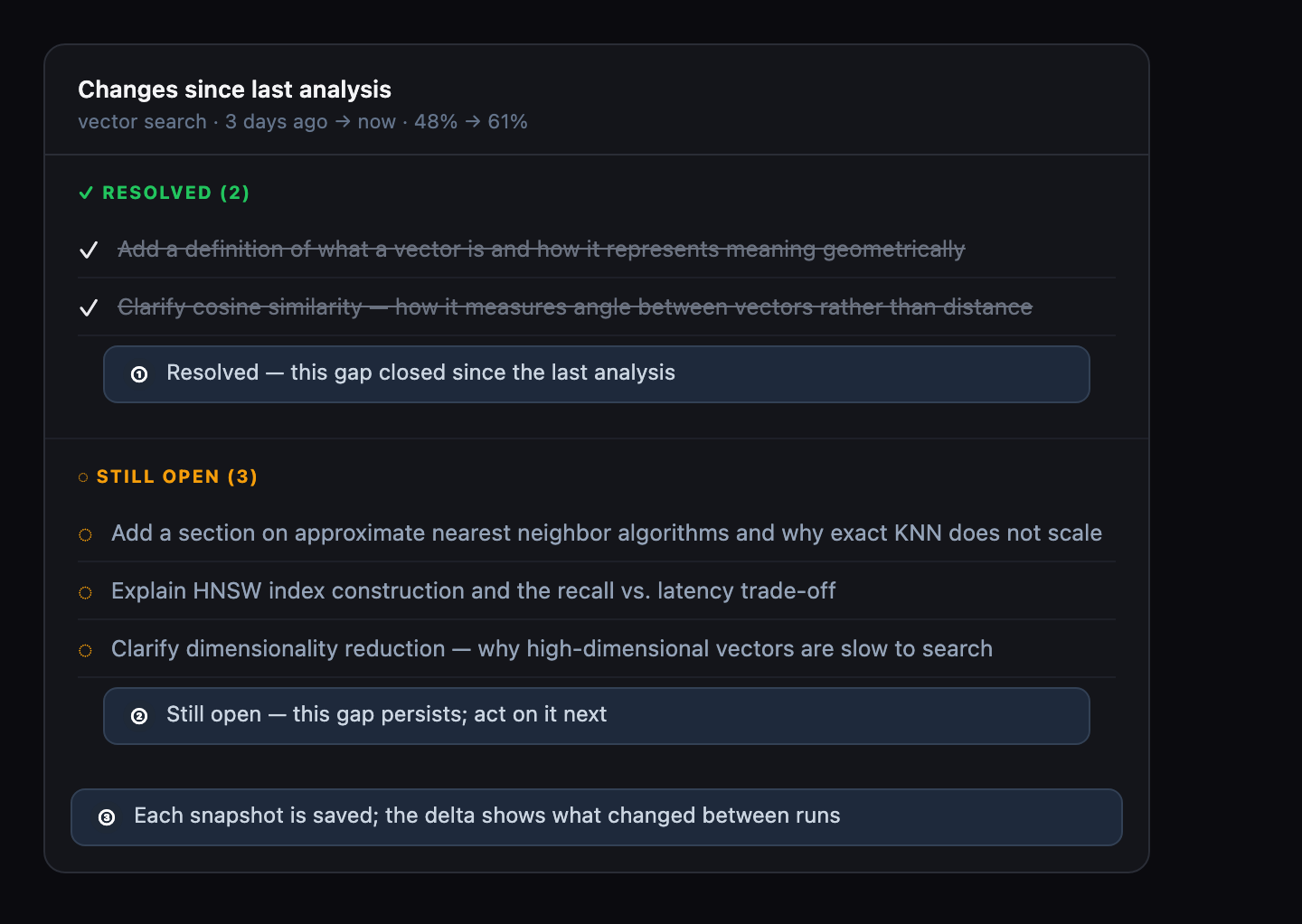
In the detailed comparison, gaps close in two ways: a writing brief item moves from open to resolved, or a required concept moves from absent or partially covered to fully present.
The detailed comparison shows three things: which writing brief items are resolved versus still open, which concepts changed coverage status between runs, and how the overall coverage score changed.
Not every revision produces visible progress. Adding a sentence that names a concept without explaining it may improve prose but will not move the concept to fully present. ContentGrapher requires the explanation to be complete, not just the concept to be mentioned.
Concepts whose integration status shifts by one step with no real change in how much they are discussed are left out of this concept-changes list rather than shown as an improvement or a regression, for the same run-to-run noise reason described above. A concept that was renamed between analyses is never treated as noise.
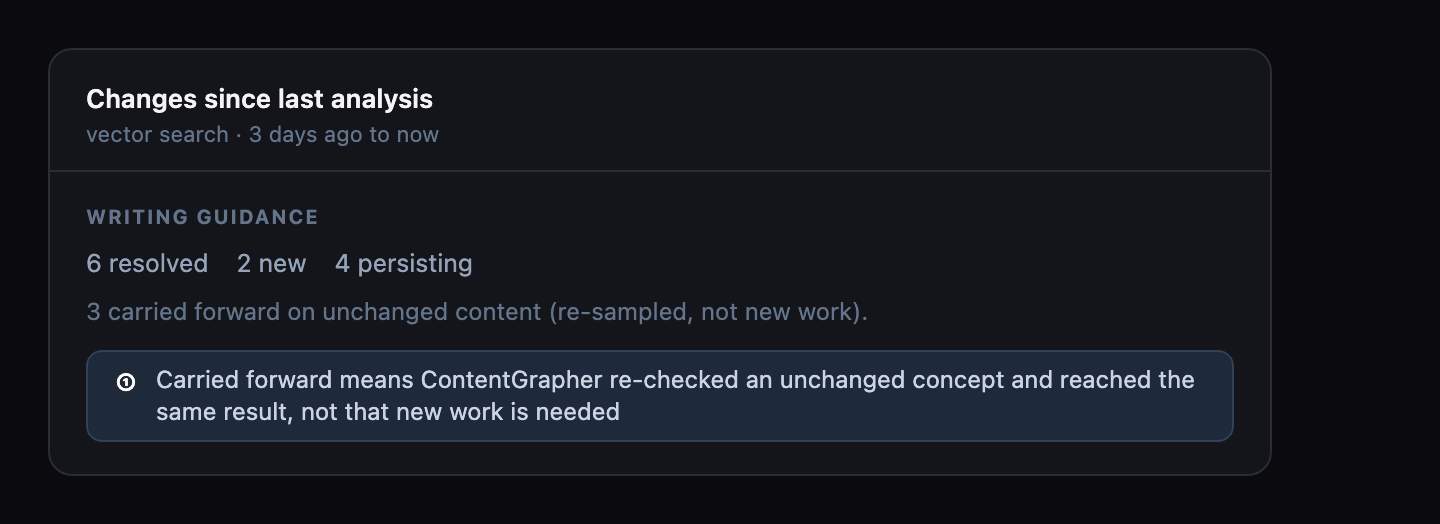
If a specific concept has not changed between two analyses even though other parts of your page did, a writing brief item tied to that concept can show up as resolved a second time, labeled "carried forward on unchanged content." This does not mean the gap reopened or that new work is needed: ContentGrapher re-checked the same content and reached the same result, and the label keeps the resolved count accurate across repeated re-analyses.
What if I re-analyze without making changes
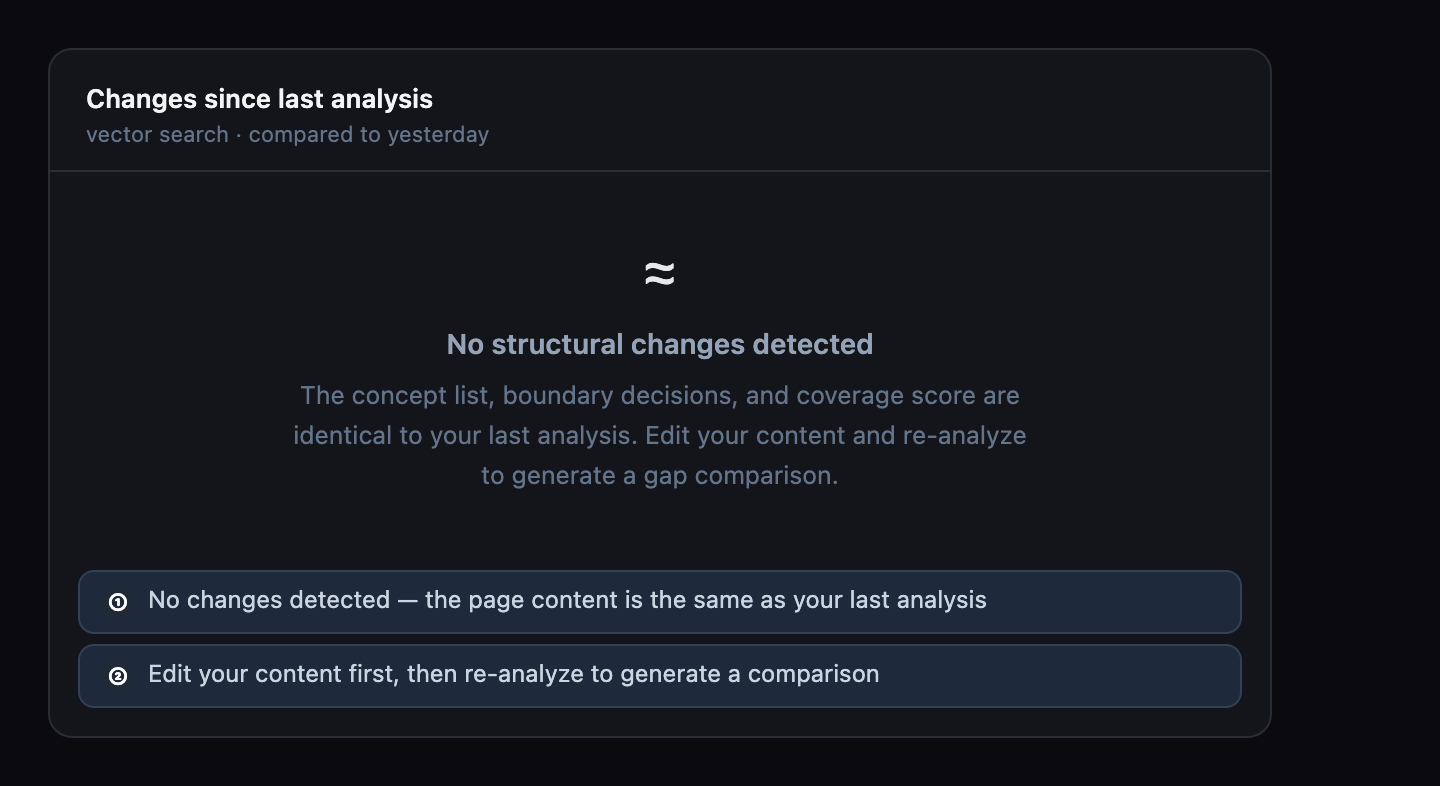
If ContentGrapher detects that your content has not changed since the last analysis, the comparison toggle is replaced with a notice instead of a before/after view.
This happens when ContentGrapher detects that your page content has not changed since the last analysis. Edit your content before re-analyzing to generate a meaningful comparison.
When to re-analyze
Re-analyze after meaningful content changes: new sections, revised explanations, added examples. Do not re-analyze after formatting-only changes; they will not affect the coverage score or writing brief.
The delta view is most useful after targeted revisions based on the writing guidance. If you addressed the top writing brief items, the comparison will show exactly which gaps closed as a result.
Series and standalone analyses
A series is automatically created when you re-analyze a URL you have analyzed before under the same account. You do not create series manually — they appear when the second analysis of a URL completes.
Standalone analyses (those never re-analyzed) do not have a comparison view. The history view marks these separately so you can see which pages have been tracked over time and which have only been snapshotted once.
When you see a "formula updated" chip
A "formula updated" chip appears next to the ↑ or ↓ arrow when ContentGrapher detects that the two scores being compared were produced by different scoring formulas. The chip does not mean your content regressed. It means the two numbers measure depth differently and are not directly comparable.
ContentGrapher updated how it measures depth in June 2026. The change improved the instrument's resolution: the new formula has more distinct score levels, and scores are calibrated lower across the board because the old formula consistently overstated coverage depth. If your prior score was produced before the update and your latest score was produced after it, the two numbers will typically differ even on byte-identical content. This was the pattern in ContentGrapher's internal validation corpus; the direction and size of the difference will vary by page.
To get a comparable delta, re-analyze the same page again. Two analyses produced after the update are scored under the same formula. The comparison between them will reflect actual content changes, not formula differences. Re-analyzing uses one analysis credit.
Per-question coverage in the detail view is not affected by the formula boundary. Boolean question flips (a question moving from not addressed to answered, or vice versa) are comparable across analyses regardless of when they were run.
Related topics