Audience Specification
How the reader knowledge level changes the analysis, what each level does, and when to set it.
Why the knowledge level changes the analysis
ContentGrapher derives the explanation framework, the required concept structure, from your topic and your reader together. The same topic analyzed for a beginner requires different concepts, at different depths, than the same topic analyzed for an expert.
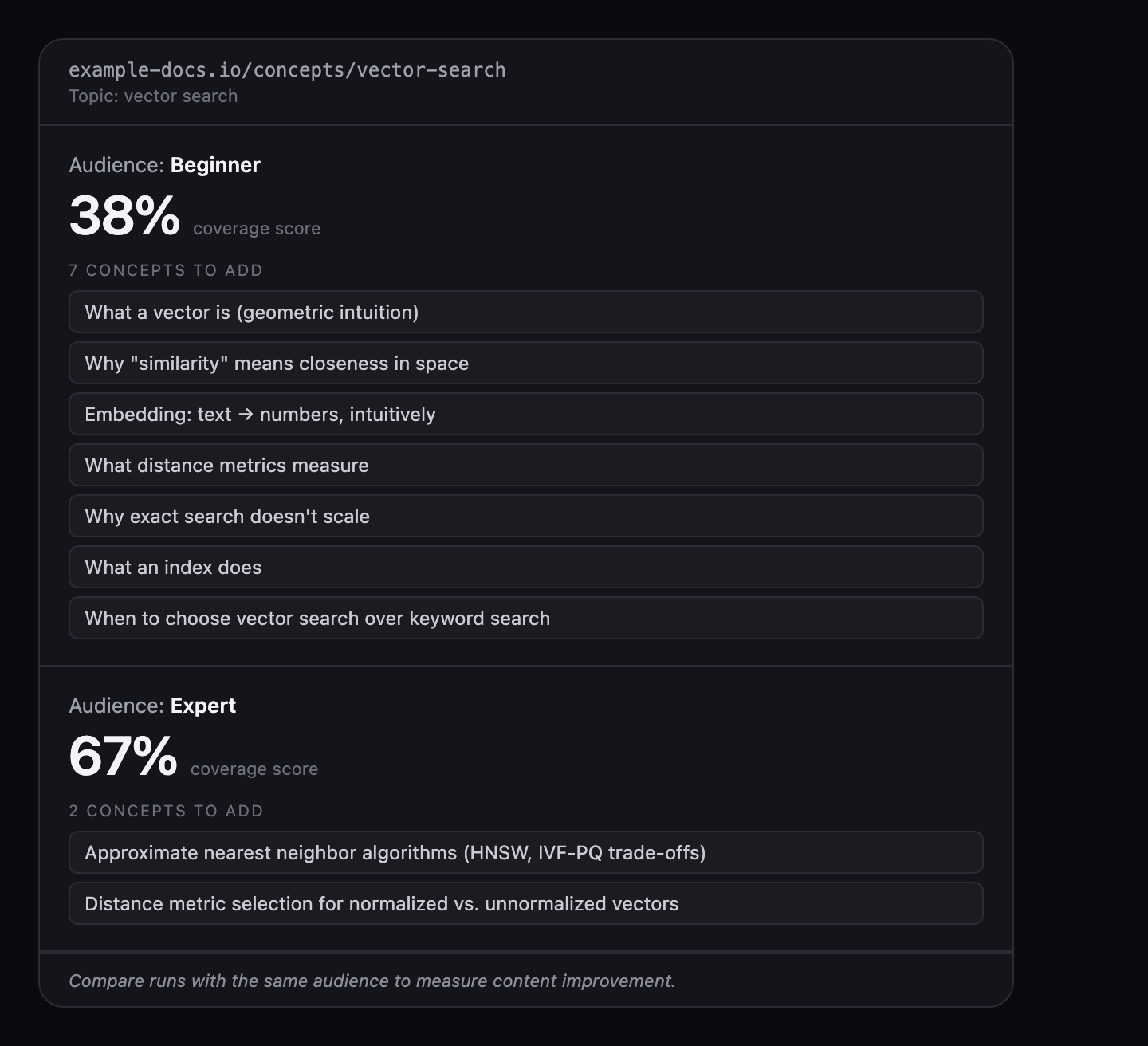
A guide to Kubernetes networking analyzed for a reader new to Kubernetes needs more prerequisite concepts and more foundational depth. The same guide analyzed for an expert needs the routing internals and failure modes instead, and can assume the fundamentals.
The three levels
Audience is a single dropdown with three values: Beginner, Intermediate, and Expert. The level sets the assumed baseline knowledge of your reader, which calibrates how deep the analysis expects each concept to be explained.
Beginner emphasizes foundational concepts and definitions, so fundamentals become required. Intermediate, the default, balances depth and accessibility. Expert assumes domain knowledge and shifts the emphasis to advanced depth, so foundational concepts are deprioritized.
Set the level to match your reader. Choosing Expert when the real reader is Intermediate will produce a gap list that omits concepts your readers actually need.
When to set the level
Phase 1 runs automatically when you submit a URL: it produces the concept graph and boundary classifications. The level selector appears before Phase 2 launches. Set it at that point, then trigger Phase 2.
Once Phase 2 has run for an analysis, the level cannot be changed for that result. To see the analysis at a different level, re-analyze the same URL with the level changed.
Phase 1 is free. Phase 2 requires an analysis credit. The level you choose determines the explanation framework for that credit, so it is worth setting before triggering Phase 2.
Changing the level between analyses
You can change the level between re-analyses. This is useful when you write for readers at different knowledge levels and want to understand what each needs from the same page.
Changing the level changes the explanation framework, which will affect the coverage score and priority order even if the content is unchanged, because the required concept emphasis changed. For a meaningful content delta, compare runs at the same level. Use different-level runs to understand what different readers need, not to measure whether your writing improved.
Related topics