20-concept maps with fewer false gaps
You can now map up to 20 concepts on every new analysis instead of stopping at 15. Deeper pages keep their real secondary topics on the map, false "missing concept" recommendations drop sharply, and past reports stay saved as they were.
Problem
Context
Why now
What changed
Every new analysis can now map up to 20 concepts (up from 15) and up to 40 connections between them. Short, focused pages stay small — the tool does not invent extra concepts to fill the limit. Deeper pages keep the supporting topics that used to be cut off, and a text check stops the report from proposing a concept your page already explains.
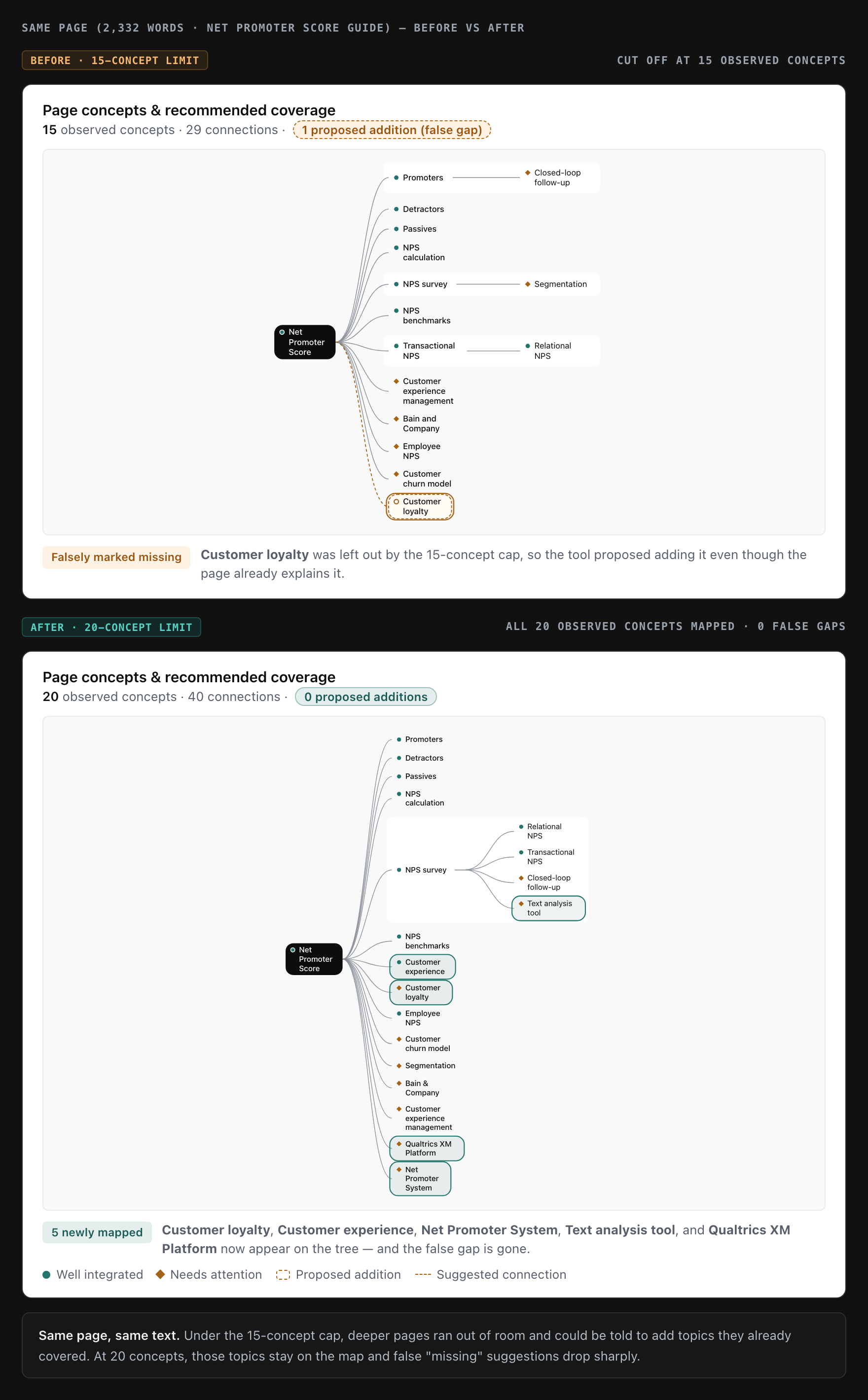
The comparison above shows the same 2,332-word guide under both limits. Under the old 15-concept limit, Customer loyalty was cut off and flagged as a proposed addition even though the page already covered it. At 20 concepts, all five extra topics appear on the tree and the false gap disappears.
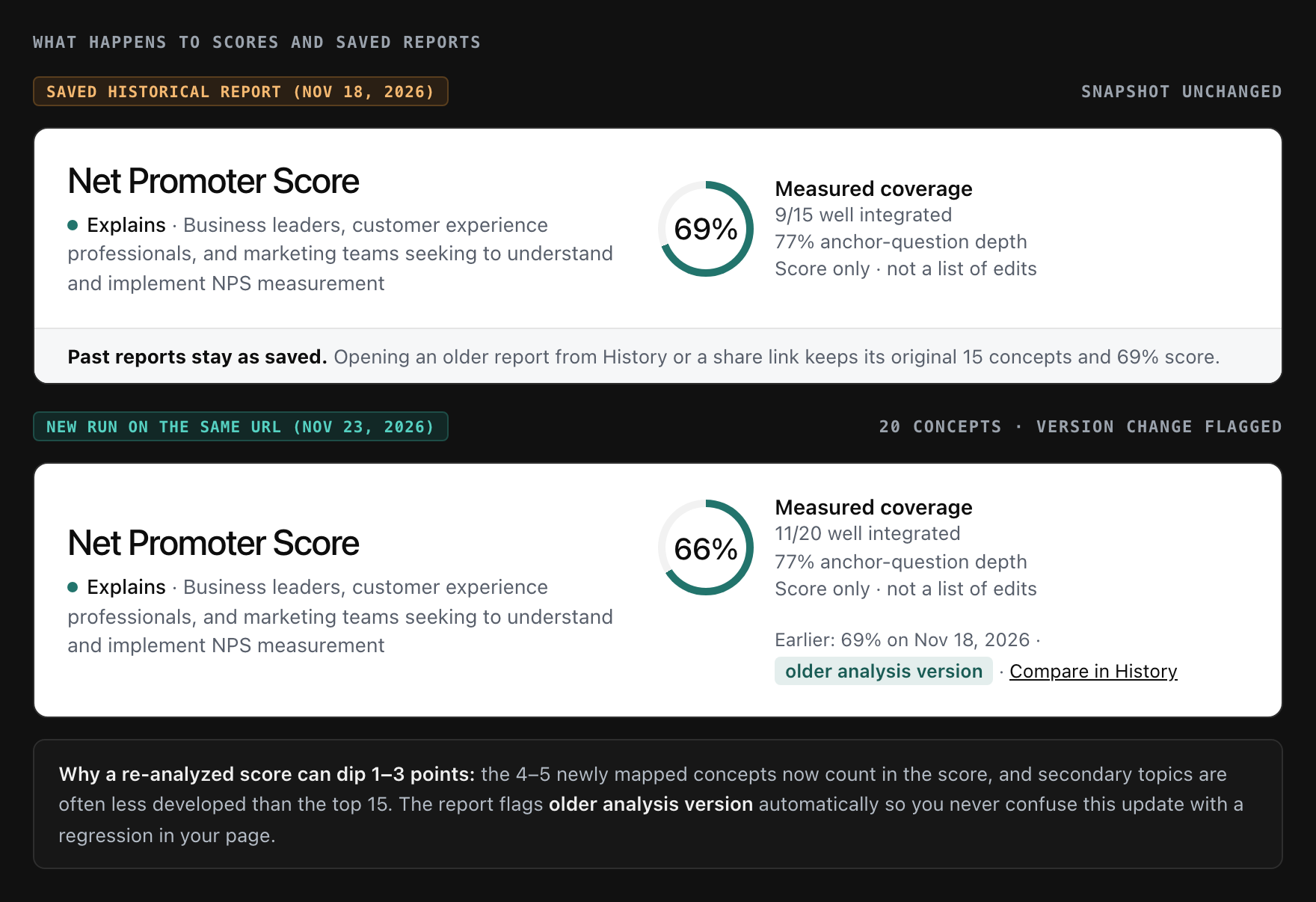
Saved historical reports do not change. Any report already in your History or opened through a share link keeps its original 15 concepts, score, and next steps. When you re-analyze a page under the new limit, your coverage score may move by a point or two — often dipping slightly because the 4–5 newly mapped secondary topics are less developed than the top 15 and now count toward the score. The report flags older analysis version automatically under Measured coverage so you do not mistake the update for a drop in your page.
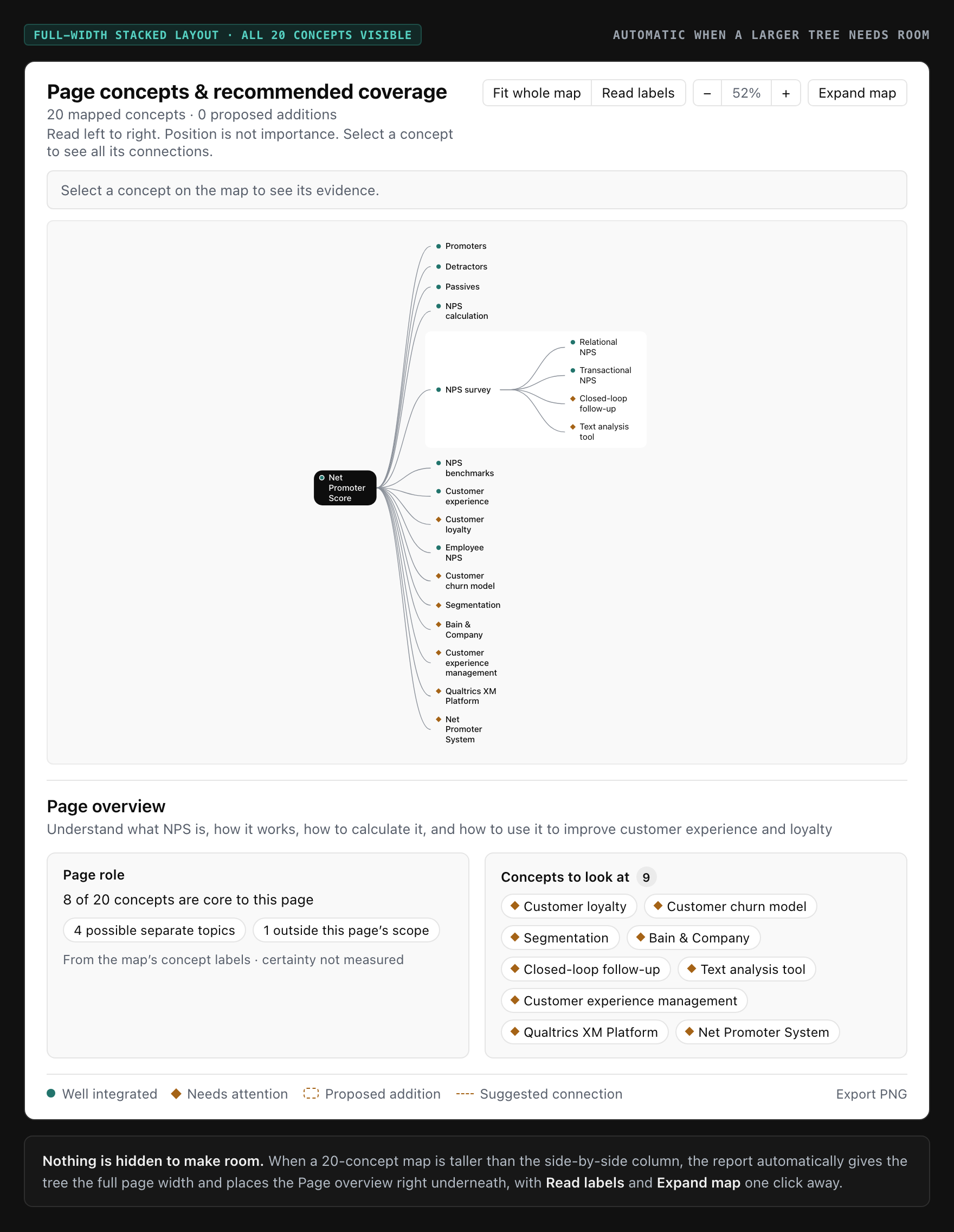
Larger maps stay readable without hiding concepts. When a 20-concept tree needs more room than a side-by-side column allows, the report automatically gives the map the full page width and places the Page overview right underneath. You can zoom to full label size with Read labels or open Expand map at any time.
No action is needed from you. Every new analysis uses the 20-concept limit automatically, and the credit cost is unchanged.